Insert a link
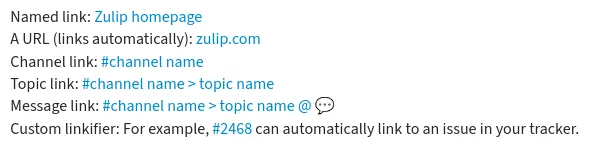
In Meoyo, you can insert a named link using Markdown formatting. In addition, Meoyo automatically creates links for you when you enter:
- A URL
- A reference to a channel, topic, or specific message (see also Link to a message or conversation)
- Text that matches a custom linkifier set up by your organization
Insert a link
Section titled “Insert a link”- Open the compose box.
- Select the text you want to linkify.
- Paste a URL to turn the selected text into a named link.
- Open the compose box.
- Select the text you want to linkify.
- Click the link () icon at the bottom of the compose box.
- Replace
urlwith a valid URL.
- Open the compose box.
- To create a named link, use
[ ]around the link text, and( )around the URL:[Link text](URL).
Examples
Section titled “Examples”What you type
Named link: [Meoyo homepage](meoyo.com)A URL (links automatically): meoyo.comChannel link: #**channel name**Topic link: #**channel name>topic name**Message link: #**channel name>topic name@123**Custom linkifier: For example, #2468 can automatically link to an issue in your tracker.What it looks like